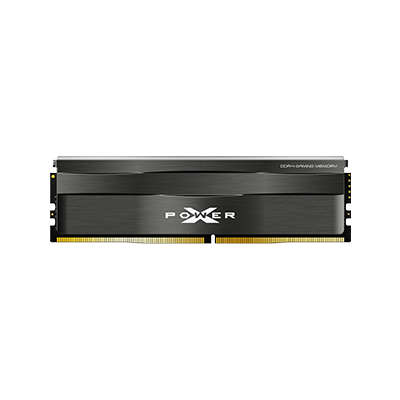




Dual-Channel RAM Guide|Understand the Difference Between Single and Dual Channel at a Glance
__25F09jdhFe.jpg "Dual-Channel RAM")
Have you ever heard "you need dual-channel memory for a faster computer" when upgrading? But still felt a bit confused: What exactly does "dual-channel" mean? Does adding two RAM sticks make a difference? In this article, let's understand the principles and advantages of dual-channel memory once and for all!
🔍 What is Dual-Channel Memory?
Dual-channel memory is a data transfer mode supported by computer motherboards. When you install two memory sticks of the same specifications and capacity (e.g., 8GB x 2), the system can transfer data simultaneously through two channels. This doubles the bandwidth, leading to smoother performance!
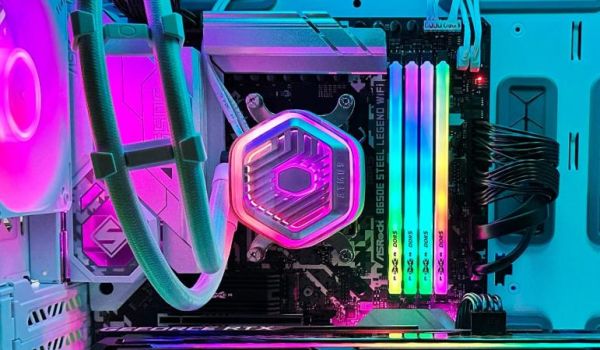
💡 Quick Tip: Memory sticks must be inserted into the correct dual-channel slots (usually labeled A1+B1 or A2+B2 on the motherboard) to enable dual-channel mode!
🔍 What are the Benefits of Dual-Channel Memory?
- Faster Data Transfer Speed allows the CPU to access memory data more quickly when running programs and games.
- Improved System Performance: The overall user experience is smoother, especially noticeable during multitasking or when running large applications.
- Enhanced Gaming Performance: Provides more stable frame rates (FPS), shorter loading times, and reduced screen stuttering.
- Accelerated Image Processing and Editing: Significantly improves performance when using software like Adobe Premiere, DaVinci Resolve, and Blender.
🔍 Dual-Channel vs. Single-Channel: How Much of a Performance Difference?
Taking 16GB as an example:
| Configuration Method | Memory Installation | Performance |
|---|---|---|
| Single-Channel | 16GB × 1 | Basic performance, single-channel bandwidth |
| Dual-Channel | 8GB × 2 | Approx. 10% to 30% performance increase, varies by application |
🔍 Purchase Recommendations
- If you're looking to upgrade your computer, consider choosing pre-matched dual-channel kits (e.g., 2x8GB, 2x16GB). They offer high compatibility and better stability.
- Confirm that your motherboard supports dual-channel architecture (most modern motherboards do).
- Remember to enable XMP/DOCP (auto-overclocking) in your BIOS to unlock your memory's full potential!
📌 Conclusion
After reading this article, you'll realize that dual-channel memory is not just hype. By allowing two memory modules to work in sync, it increases data access bandwidth, thereby speeding up overall system operation.
💡 Key Takeaways about Dual-Channel Memory:
- Average performance increase of about 10-30%, with even more in some games or applications.
- Ideal for: Gaming, video editing, heavy multitasking, and power users.
- Best results when paired with RAM of the same brand, frequency, and capacity.
- If you only use one RAM stick, you'll fall into the "single-channel" performance trap.
So, if you currently only have one 8GB RAM stick, we recommend upgrading to dual-channel (just add another stick). You won't need to change your CPU or graphics card, and you'll still enjoy a noticeable speed upgrade. It's a super cost-effective upgrade!
• • •