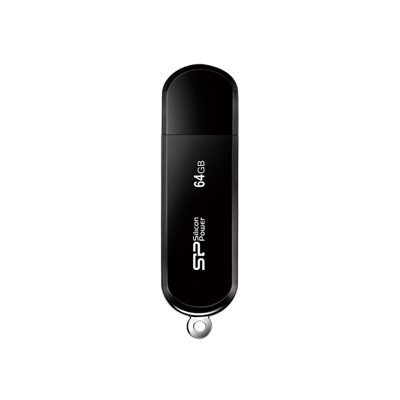




Plug in Your USB Flash Drive for an Instant Immersive VR Movie Experience!

Choosing the right USB flash drive lets you easily enjoy immersive, panoramic VR movies.
Product Line: USB Flash Drive
Application Scenario: VR Devices
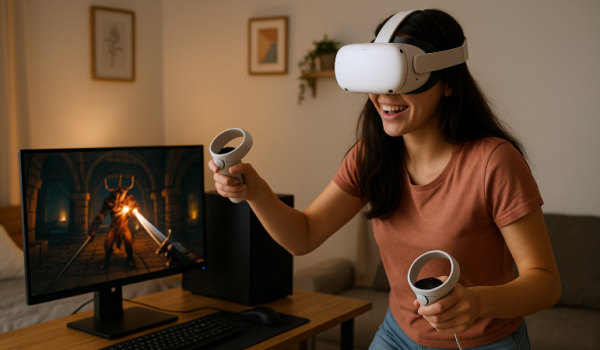
VR devices have evolved far beyond gaming. Today's headsets seamlessly integrate into daily life, whether you're watching movies or extending your workspace. But how do you unlock these features? The answer is surprisingly simple: a USB flash drive. Load your favorite video files onto a flash drive, plug it into your VR headset, and instantly transform your living room into a personal cinema with panoramic visuals. No complicated setup, no streaming hassles. Just plug in and immerse yourself. Want to know the details? Keep reading!
Plug and Play! The Right USB Flash Drive Takes You Into the VR Movie World
While gaming dominates VR's reputation, these headsets excel at delivering cinematic experiences too. Imagine a personal panoramic theater in your living room. The challenge? Most VR devices can't access Netflix, Disney+, or other streaming services directly.
That's where VR player apps shine. SKYBOX VR Video Player, for instance, handles 2D, 3D, 180°, and 360° formats while automatically detecting video types. You'll need your own video files, but setup is instant. Load videos onto a USB flash drive, plug it in, and start watching. No downloads, no delays.
Choose the Right Drive
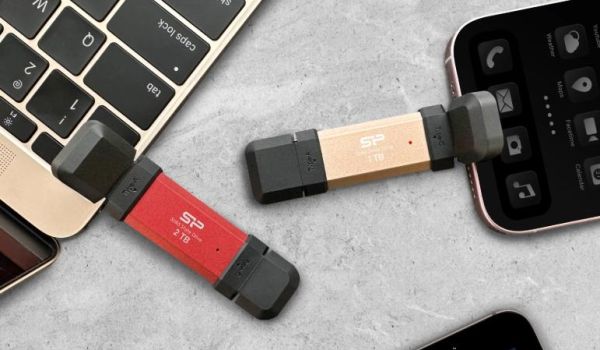
Transfer speed determines your viewing quality. Flash drives rated 500 MB/s or faster prevent frustrating stutters during HD playback. For Meta Quest and similar devices with USB-C ports, get a USB-C drive supporting OTG and USB 3.2.
The SP DS72 checks every box: 1,050 MB/s read speeds via USB 3.2 Gen 2, plus 2TB capacity for extensive libraries. Format it as FAT32 to ensure your VR device recognizes it without issues.
Simple Setup with Expanded Possibilities
On Quest, getting started takes seconds. Transfer videos to the drive, plug it into your headset, launch SKYBOX VR, select USB as the source, and you're watching. But USB drives offer more than video playback. Load APK files to install Android apps directly in VR, unlocking capabilities beyond standard features. A high-speed USB flash drive transforms your headset into a complete entertainment system. For VR enthusiasts ready to maximize their setup, this upgrade pays off immediately.
• • •