



2026 USB Flash Drive Buying Guide|From USB Specs to Best Value, All Explained
__25F09SB9vv.jpg "USB Flash Drive Buying Guide")
USB flash drives have become essential storage tools in everyday life, perfect for everything from basic document backups to transferring large multimedia files. In this article, we’ll walk you through the different types, formats, and key tips for choosing the right USB drive. Plus, we’ll highlight some high-performance options from our Silicon Power lineup to help you effortlessly find the ideal storage solution for your needs.
🔍 What is a USB Flash Drive?
A USB flash drive is a portable flash storage device that uses a USB interface. It's characterized by its small size, plug-and-play functionality, and fast transfer speeds, making it widely used for:
- Computer data backup
- Audio/video transfer
- Reading by car and multimedia devices
🔍 How to Choose the Right USB Flash Drive?
1. Connector Type
- USB-A: Compatible with traditional desktops and laptops.
- USB-C: Suitable for newer smartphones, tablets, and thin and light laptops.
- OTG Support: Can directly read data from mobile phones, offering greater mobility.
2. Transfer Speed
- USB 2.0: For basic backups and small file transfers.
- USB 3.2 Gen1 (formerly USB 3.0): For high-speed transfer of videos and large folders.
3. Storage Capacity
- 32GB~128GB: For daily office and study use.
- 256GB+: For large capacity needs like video editing, original photo backups, etc.
🔍 USB 2.0 vs. USB 3.2 Gen1: What's the Difference?
| Item | USB 2.0 | USB 3.2 Gen1(USB 3.0 / 3.1 Gen1) |
|---|---|---|
| Transfer Speed |
Up to 480 Mbps |
Up to 5 Gbps (theoretical value) |
| Suitable For | Documents, images | Videos, compressed files, and large files |
| Compatibility | Highly versatile | Backward compatible with USB 2.0 |
💡 Note: USB 3.0 / 3.1 Gen1 / 3.2 Gen1 have the same specifications, only different naming conventions, all capable of 5Gbps.
🔍 How to Choose Your USB Flash Drive Format?
| Format | Applicable Devices | Advantages | Limitations |
|---|---|---|---|
| FAT32 | Almost all devices | High compatibility | The max single file size is only 4GB |
| NTFS | Windows-specific | Supports large files, encryption, and permissions |
macOS requires additional tools to write |
| exFAT | Windows / macOS cross-platform | Supports large files, no size limit | Some older devices (e.g., old cameras) are not supported |
🔍 SP USB Flash Drive Recommendations
We've selected several popular Silicon Power flash drives for you, categorized by speed and purpose:
🔹USB 3.2 Gen1 High-Speed Series
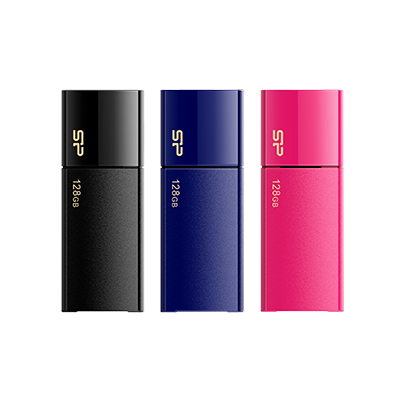
- Blaze B05: Slide-out design with a matte, scratch-resistant casing, combining style and durability for easy storage.
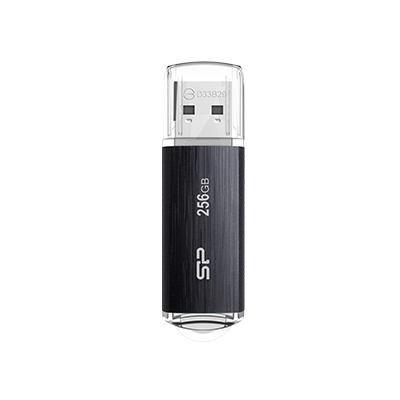
- Blaze B02: Features a hairline texture and a strap hole for convenient carrying. Glossy finish with extreme transfer performance, boosting work efficiency without delay.
🔹USB 2.0 Practical Series
- LuxMini 320: Polished metal look with a strap hole for easy plug-and-play backup.
- Ultima II I-Series: Robust aluminum casing for scratch resistance and durability, with a strap hole design for lightweight portability.
💡 For more models and capacity specifications, please visit our SP official website's USB Drives category page: https://www.silicon-power.com/tw/web/tw/category/USBDrives
📌 Conclusion
Whether you're saving class notes, backing up work files, or transferring your movie collection, having the right USB flash drive can make a big difference. At Silicon Power, we offer a wide range of specifications and storage capacities. perfect for everything from everyday tasks to more demanding applications, ensuring there's a solution for every scenario.
• • •