



The Ultimate Guide to Choosing the Best microSD Card for Switch
__25G28NzCjM.jpg "Switch memory card")
Players can choose a Switch memory card based on their gaming habits (Image source: Unsplash).
Looking to upgrade your game storage? Choosing the right microSD card for the Switch is more important than ever. As games grow in size and the new Switch 2 adopts the high-speed microSD Express standard, not all cards are up to the task. In this guide, we’ll help you pick the best card based on speed, capacity, durability, and compatibility. Whether you're using the original Switch or planning to get a new Switch 2, the right microSD card ensures smoother gameplay and more room for your favorite titles. Let’s find the perfect card for your Switch setup!
Menu
-Why the Nintendo Switch Needs a microSD Card
-Switch 2 Requires microSD Express: What You Need to Know
-Best microSD Cards for Nintendo Switch & Switch 2
-Installing a microSD Card in Your Switch
Why the Nintendo Switch Needs a microSD Card
While the original Switch only comes with 32GB of internal storage (and the OLED version bumps it up to 64GB), that space fills up fast, especially when games like Zelda: Tears of the Kingdom or Mario Kart 8 Deluxe can take up 20GB or more each. Even the Switch 2, which offers 256GB, will run out quickly if you're downloading AAA titles, DLC, or capturing gameplay footage. That’s where a reliable microSD card becomes essential for users to trust.
Switch 2 Requires microSD Express: What You Need to Know
With the Switch 2, Nintendo has raised the bar by supporting only microSD Express cards for expandable storage. This next-generation format offers blazing-fast read speeds over 800MB/s, compared to the ~100MB/s limit on traditional microSD cards.
Here’s the catch: standard microSD cards are not compatible with Switch 2 for game storage. Only cards with the “microSD EX” logo will work. So if you're planning to upgrade Switch 2, make sure your new card is marked microSD Express. The good news? These new cards are backward compatible, so you can also use them in a Switch (though at standard speeds).
What is microSD Express
microSD Express is a next-generation memory card format that combines PCIe and NVMe technology to deliver SSD-level performance, with read speeds reaching over 800MB per second. It’s designed for high-performance tasks like 4K and 8K video, AI applications, and now next-gen gaming.
The Nintendo Switch 2 is currently the only game console that requires microSD Express for storage expansion. While these cards are backward compatible with older devices like the original Switch, they will only operate at standard speeds unless the device supports the microSD Express standard. To ensure full compatibility and performance, make sure your card has the microSD EX logo.
How Much Storage Do You Need?
Choosing the right microSD card for Switch also means knowing how much space you’ll need. Here's a rough guide based on your gaming habits:
64GB–128GB: Great for casual gamers or those who mostly play indie titles and still buy physical game cards.
256GB–512GB: Ideal for most players who enjoy downloading a mix of AAA and indie titles.
1TB+: Perfect for serious gamers or families sharing a single console, with multiple profiles and large game libraries.
🎮 Example game sizes:
-
Zelda: Tears of the Kingdom – ~20GB
-
Mario Kart 8 Deluxe – ~21.9GB
-
Pokémon Scarlet/Violet – ~9.9GB
As you can see, different types of games vary widely in file size. If you're into large AAA titles, you'll naturally need more storage. Future game updates and DLCs will also take up additional space. Also, screenshots and video clips you capture during gameplay are saved to the memory card. For most players, 256GB or 512GB is a solid starting point. If your whole family shares one Switch and everyone plays different games, it's worth upgrading to 1TB to ensure plenty of room without having to delete old titles.
Speed Class: Read/Write Speeds Matter
When choosing a memory card for your Switch, speed matters. A higher read speed means faster game loading and smoother performance, while write speed affects how quickly you can download or update games. Since read speed has the biggest impact on launch times and gameplay, it's especially important. Nintendo recommends microSD cards with read and write speeds between 60–95MB/s. For the best experience, look for a UHS-I card with a U3 or higher speed class. This helps reduce loading times and keeps your games running smoothly.
Durability: Built to Last
To make sure your memory card lasts and keeps your data safe, it's important to check its durability features. Look for protection against bending, frequent insertions, drops, static electricity, X-rays, and extreme temperatures. Even if you rarely remove the card, prolonged exposure to heat or humidity can affect both your Switch and the card itself. A durable memory card helps prevent damage and reduces the risk of losing your game data or progress.
Best microSD Cards for Nintendo Switch & Switch 2
Now that you know what to look for, here are two memory card recommendations with various capacities and excellent read/write performance to keep you gaming smoothly!
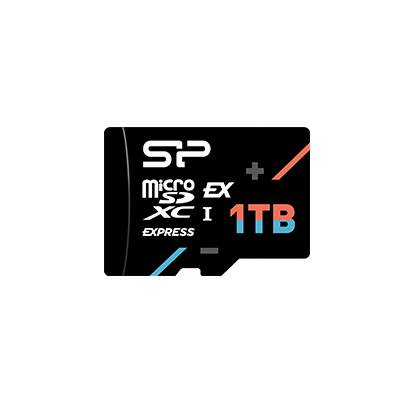
SP Hypera microSDXC™ Express Card
The SP Hypera microSDXC™ Express Card is perfect for the Switch 2, boasting impressive read speeds up to 880MB/s and write speeds up to 700MB/s. This means faster game downloads, quicker save times, and smoother updates. Hypera offers up to 1TB capacity, making it ideal for hardcore gamers or families sharing a Switch. You won't have to worry about running out of space, even with DLC or massive updates. Plus, its high-speed design also makes it great for 4K video recording and other high-performance storage needs. The Hypera also survives six brutal durability tests, extreme temperatures, shock, X-rays, and static, offering enhanced durability for safer data protection and preventing loss.
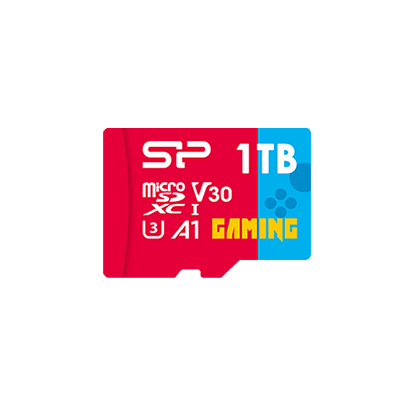
SP Superior Gaming Superior microSDHC/SDXC
If you're looking to expand storage for your first-gen Switch, the SP Superior Gaming Superior microSDHC/SDXC is an excellent choice. It comes in various capacities, from 32GB all the way up to 1TB, meeting needs from simple upgrades to extensive game storage. With 100MB/s read/write speeds, it provides a smooth game loading experience and is also great for storing screenshots, videos, or as general data backup. For players not planning to upgrade to a new Switch 2 but still wanting more capacity, the Superior Gaming Superior is a solid option!
Installing a microSD Card in Your Switch
Got a new Switch memory card? Here's what you need to know about installation:
Turn off your Switch or Switch 2.
Open the kickstand on the back of the console to reveal the microSD card slot.
Insert the microSD card with the label facing outwards, gently pushing it into the slot until you hear a click. Make sure it's securely installed.
Turn on your Switch or Switch 2. It will automatically detect and format the card, and then it's ready to use!
Once the memory card is in, you can check your available space by going to "System Settings" > "Data Management" on your console. You'll see separate sections for "System Memory" and "microSD Card" or "SD Express Card", so you can always monitor your storage usage.
Transferring Data from Old Switch to Switch 2
If you're a new Switch 2 owner looking to transfer data from your old Switch, you absolutely can. Just follow these steps:
-
On your new console (Switch 2), go to "Settings" and select the ”Users” menu on both consoles.
-
Select "Transfer Your User and Save Data" on both consoles.
-
Select “Next” on each console to begin the process.
-
Select “Source Console” on the source system and “Target Console” on the target system.
-
Sign in to the “Target System” with your Nintendo Account being transferred.
-
Select “Continue” on the source system to start the User and Save Data transfer process.
-
Wait a few minutes for the transfer to complete.
Tips to Maximize microSD Card Performance
Want to extend your memory card's lifespan? Here are some habits to adopt:
-
Use Sleep Mode
If you've just bought a new game and it needs updates, but you're not playing immediately, use the Switch's Sleep Mode. This allows the console to download updates in the background, helping reduce unnecessary memory card usage and maintaining smooth performance.
-
Regularly Manage Your Storage
Over time, you may accumulate games you rarely play, as well as large numbers of screenshots and video clips. Periodically clearing out unused content frees up valuable storage space, allowing your memory card to work more efficiently.
-
Keep Your Games Updated
Game developers frequently release updates and DLC to improve gameplay and fix issues. Regularly checking for and installing the latest versions helps your games run more smoothly, shortens loading times, and reduces the strain on your memory card.
Conclusion
Whether you are a new Switch 2 owner or a seasoned player with a massive game library, a fast, spacious, and durable memory card is essential for a smooth gaming experience. With the Switch 2 now supporting microSD Express cards, be sure to look for the "microSD EX" logo to ensure compatibility and take full advantage of faster game loading.
This guide has covered everything you need to know about choosing a microSD card for Switch, including specs, capacity, read and write speeds, and durability, to help you find the perfect option for your needs. If you are upgrading from a first-generation Switch, make sure to choose a memory card with read and write speeds of 60 to 95 MB per second or higher to keep every game session running smoothly without lag.
FAQ
• • •