


How to Guarantee Your New RAM Works: A Simple Guide to the QVL (Qualified Vendor List)
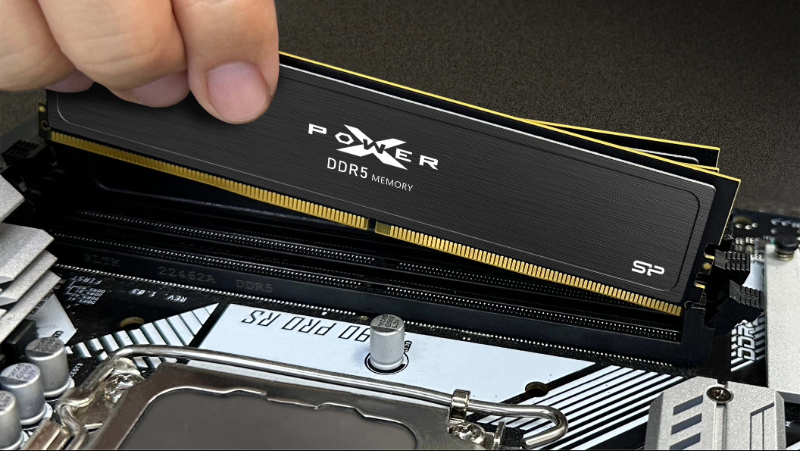
You’ve probably heard that you should check the QVL before buying RAM, but what exactly is a QVL?
When building a PC or upgrading your hardware, "compatibility" is just as crucial as performance. Whether you're a first-time builder or a seasoned veteran, you've probably heard the advice: "Always check the QVL before buying RAM." But what exactly is a QVL? And why do so many people insist on checking if a RAM module or SSD is on the motherboard's QVL before buying it? This article will break down what a QVL is, why it's important, and how to check it for your RAM and SSDs, answering all your questions along the way.
Menu
-What is a QVL? Your Compatibility Fast-Pass
-How Do I Check the QVL? A Quick Guide
What is a QVL? Your Compatibility Fast-Pass
QVL stands for "Qualified Vendor List." It's a list published by your system or motherboard manufacturer that details the specific hardware models that have passed their compatibility and stability tests. This typically includes components like RAM (memory), SSDs, and CPUs. For a memory module to be on the QVL, it doesn't just mean it works—it means it runs properly at its advertised frequency, timings, and voltage, and remains stable even in different slot configurations and under long-term, heavy loads.
So, why does the QVL matter? In short, the QVL helps you, the consumer, quickly confirm that a part will work with your motherboard, no questions asked. This is especially true for RAM, which has complex specs that can easily lead to conflicts if not properly tested. Let's break down the benefits.
Minimize Compatibility Risks
The biggest benefit of checking the QVL is to avoid the headache of compatibility issues with your RAM or SSD, which can cause anything from a failure to boot, random system errors, or the dreaded Blue Screen of Death (BSOD). Different brands and models have tiny variations in frequency, timings, controllers, and firmware.The QVL is your fastest "compatibility indicator." By checking the QVL, you can confirm a part is officially certified by the manufacturer, effectively reducing the risk of buying an expensive component only to find out it's not compatible.
Ensure System Stability
RAM and SSDs that make it onto the QVL have typically been tested to ensure they can operate stably. This is crucial for high-load environments like competitive gaming, professional video editing, or server applications that run 24/7. For example, using a manufacturer-certified SSD in a NAS (Network Attached Storage) system not only ensures stability but also gives the user peace of mind. Therefore, the QVL isn't just a "will it work?" checklist, it's a "will it work reliably?" guarantee.
What if a Part Isn't on the QVL?
The short answer: yes, a part might still work perfectly fine even if it's not on the list. The QVL only includes the models the manufacturer had the time and resources to actually test. Given the sheer number of products released constantly, it's impossible for them to cover everything.
If you're an experienced builder and understand motherboard architecture and memory specifications, you can certainly venture off-list. If you decide to buy a non-QVL part, it's highly recommended to prioritize popular, best-selling models from major brands, such as the SP XPOWER Storm DDR5 RAM (SP032GXLWU60AFDK). A best-seller's popularity often indicates it has good real-world performance. You should also still check online reviews and user benchmarks, or use the memory/SSD brand's own compatibility checker on their website to minimize the risk of running into a problem.
How Do I Check the QVL? A Quick Guide
The most direct way to check the QVL is to go to your motherboard manufacturer's official website, find the support page for your specific motherboard model, and look for the "Memory" or "Storage" compatibility list.
Alternatively, many RAM and SSD brands, like SP, have their own compatibility tools on their websites. For example, on the SP official website, you can click "Compatibility Search" on the homepage to go to their checker tool, which allows you to quickly confirm if a memory module or SSD is compatible with your motherboard.
__25K10hOWOo.jpg "what is qvl")
On the SP website, click "Compatibility Search" to quickly check if your RAM or SSD works with your motherboard.
Search by Product (RAM, SSD, etc.)
Using the SP compatibility tool as an example, it offers two ways to search. The first is by product. Simply enter the part number for your RAM module, SSD, memory card, or flash drive, and the tool will display all compatible device types, brands, and models.
__25K10YPnux.png "what is qvl")
Search for compatibility by product (RAM, SSD, etc.)
__25K10zekXM.png "what is qvl")
Search for compatibility by product (RAM, SSD, etc.)
Search by Your Device
If you're thinking about buying an SP product but want to check compatibility first, you can also search by your device. Simply select the brand and model of your current laptop or desktop, and the tool will show you all compatible SP products, along with their part numbers and specs.
__25K103UOJh.png "what is qvl")
Search for compatibility by Your Device
__25K109RsEK.png "what is qvl")
Search for compatibility by Your Device
Final Thoughts
To sum it up, the QVL's greatest benefit is giving users a quick and easy way to confirm product compatibility. Furthermore, products that have passed QVL validation not only meet compatibility standards but also come with a much stronger guarantee of stable operation.
However, the QVL only lists the models the manufacturer has actually tested. With new products hitting the market so quickly, the list can't possibly include everything. If you have a solid understanding of PC hardware, you can certainly consider non-QVL models. As long as you are clear about your own needs and do your research by checking online forums and reviews, you can successfully minimize compatibility issues.
QVL FAQ
• • •